If you spend any time reading our site, you know that we like anything that lets us save our precious time or cut some of the boring, repetitive elements out of our workflow. Our overworked brains especially like it when these apps are are easy-to-learn and easy-to-use.
Push The Freakin' Button Pro is right up our alley!
PTFB Pro is the perfect tool for automating tasks, reducing keystrokes, and best of all, getting rid of all those nagging automated requests that pop-up at the most inopportune times.
In effect, PTFB Pro is a "don't show this again" option for the many prompts and messages that don't have one of their own. Just tell PTFB Pro what buttons to press and when -- you'll never be bothered again!
And then there's the built-in macro recorder. It can record and playback complex sequences of mouse and keyboard actions, allowing you to quickly cut long repetitive tasks down to size.
PTFB Pro can periodically check to see if a program is currently running on your system. It can launch the target program if it isn't running or restart/close the program if it is.
PTFB Pro can even help keep interruptions at bay when you're not at your computer. Use it to keep attention craving applications from running in your absence, to fill out login fields, or even to keep your Internet connections alive!
Please note folks, the latest version brings the following new features: Visual Triggers, Greatly improved command line control for better integration with Powershell and other script shells, Control the clipboard, Track when a macro was last used and easily archive little-used macros and Instantly test your settings on the “Identifying the Target” page. You can read more about these here
This promotion includes the following:
PTFB Pro - Single License v5.4.7.0 ($39.99)
PTFB Pro - 5 License Value Pack v5.4.7.0 ($144.99)
Frequently Bought Together
If you love this, you might also like...
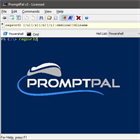
for PC
PromptPal
Command Line Power, Windows Ease-of-Use
25
Features
The Fine Print
Testimonials
- Super-fast Mouse Auto-Clicker. Let PTFB Pro respond to the appearance of a given window by simulating a single mouse click. Outlook security windows, questions about "do you really want to delete this item", irritating messages about other users in a file - PTFB Pro can dismiss them all, automatically!
- A Quick and Easy Macro Recorder. When you need to do more than just automate a simple mouse click or button push, PTFB Pro lets you quickly and easily create a macro.
- A Powerful and Flexible Macro Scheduler. Run your macros manually, whenever a specific appears, on any regular date and time, when invoked by any hotkey you define, and at the request of other programs on your PC.
- An Automatic Form Filler. PTFB Pro takes automation of repetative tasks to a new level with its capability to trigger a macro in response to a specific window appearing. This makes it ideal for automatically completing the login screens and connection dialogs you see every day.
- A way to Automatically Close System Tray Notifications. System tray balloons have a habit of interrupting you with unnedded information. PTFB Pro can automatically dismiss these tedious little attention seekers for you.
- Quickly and discretely answer confirmation requests and prompts that interrupt your workflow.
- Advanced options include default macro values, speed control, logging, notifications and more.
- You can download and install a free trial of this software before purchasing
- Download available for: Windows 10, 8, 7, Vista, XP, Svr 2012, Svr 2008, Svr 2003
- Buy with BitsDuJour's promotional coupon code and get all this at a discounted price!
- After you purchase PTFB Pro it may be used indefinitely.
- PTFB Pro is licensed per user, so if more people are going to use PTFB Pro you will need to purchase additional copies.
- Each license allows installation on 1 computer.
- License can be used for Commercial and Personal use.
- Upgrades to future versions of the software will be free for minor versions only.
- Support is provided for this version and any minor versions that are released later.
- 3 months return policy.
- Prices do not necessarily include taxes, which will vary by country.
- Review what others have to say...
- “I purchased PTFB Auto-clicker to solve a specific problem and have since found umpteen other uses. I don't know how I managed without it. Thank you so much for a smashing program.”- Nancy Barbridge, Kent
- “I really appreciate PTFB auto-clicker. I get sooooo mad at programmers that make you push 2 or 3 buttons to do a simple little task! PTFB takes care of most of those problems for me.”- David Lott
- “PTFB just solved an enormous problem that kept an operator tied to a server all day, just to "push the freakin button" whenever internet mail failed to connect to our ISP”- Aaron Burns
- “I just ordered my copy of PTFB Pro after using the demo for a week or two. I was originally looking for some freeware to run some screen macros at work, but after trying PTFB, I had to have it!...Great program!”- M Reynolds
- “I just ordered my copy of PTFB Pro after using the demo for a week or two. I was originally looking for some freeware to run some screen macros at work, but after trying PTFB, I had to have it!...Great program!”- Clinton
- “I find that on every computer I've spent just a little bit of time on, I always seem to come across something that makes me say "ARGH!! Push The Freakin' Button!!!" and reminds me about this incredibly useful app.”- Freckles


